
Off-campus Internet Connection Services
🏠 Objective:To assist faculty, staff, and students by making it possible to search NTUST Library E-Resources without having to connect to the NTUST campus network. (Library E-Resources have been made available through license agreements with the service providers.)
🧭 We have two kinds of off-campus internet connection services -- "Ezproxy" and "Web Access Management, WAM".
📢 They are the same operating procedure, but the login screen are different.
Instructions for use
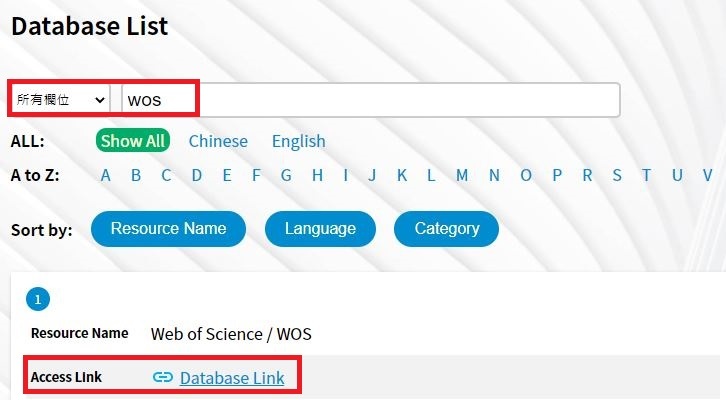
1. Select a database you wish to use. Click Database Link.
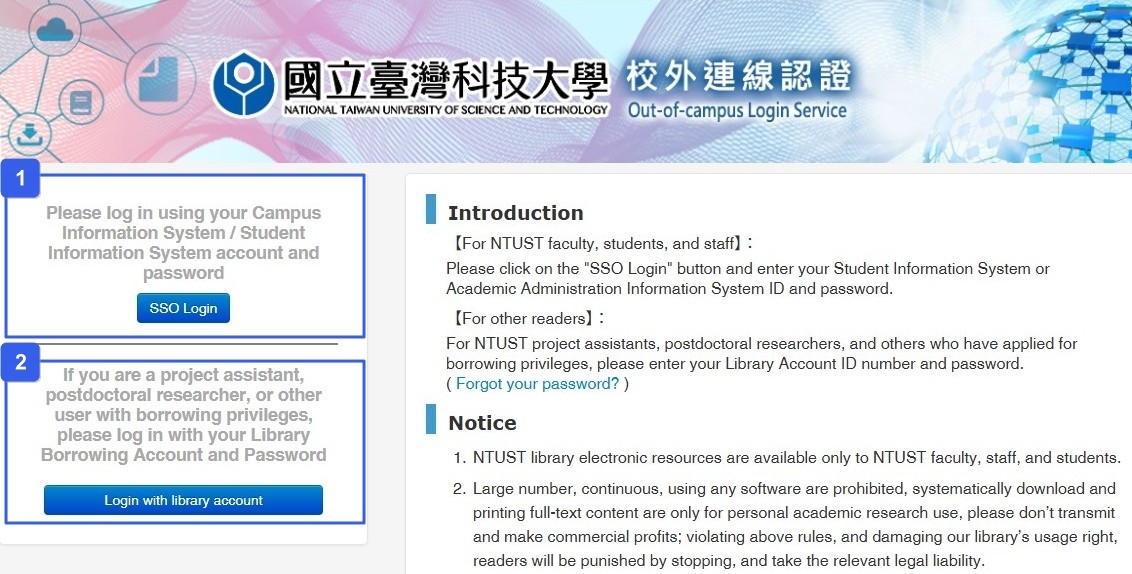
2. Choose [SSO Login] or [Login with library account] at the login window. After successful authentication, you may proceed to use the service.
<Ezporxy Login Screen>
1. Current Students, Faculty, and Staff
Click [SSO Login] above and sign in with your Student Information System or Academic Information Systems Portal account and password.
2. Other Users (Part-time Professors, Postdocs, etc.)
Click [Login with library account] below.
User ID:Student ID / Part-time Professor, Postdoc & Other : Barcode number on your library card.
Password:Taiwanese Student & Employee using personal identification number / International student using Student ID.
<Web Access Management Login Screen>
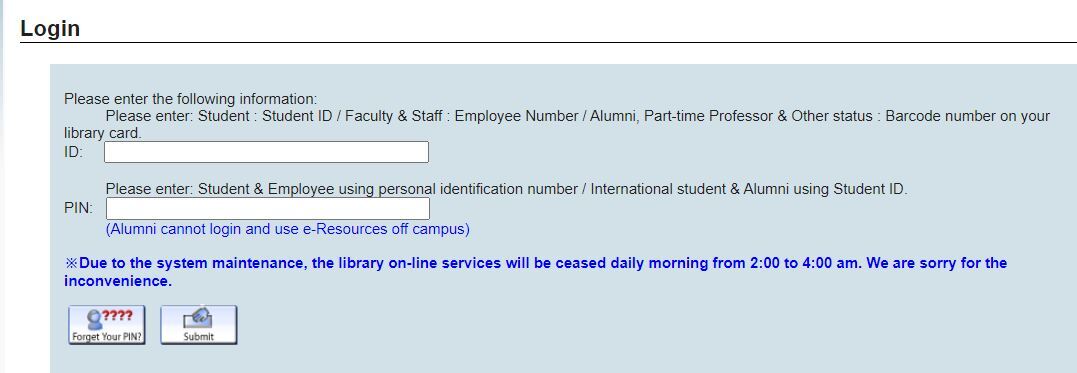
📢NTUST students, faculty, and staff use only.